

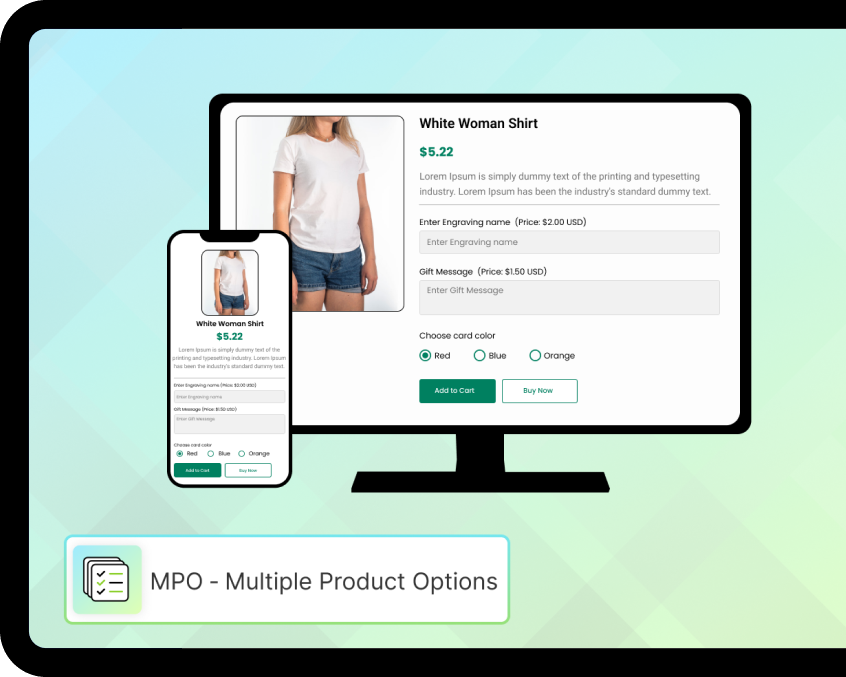
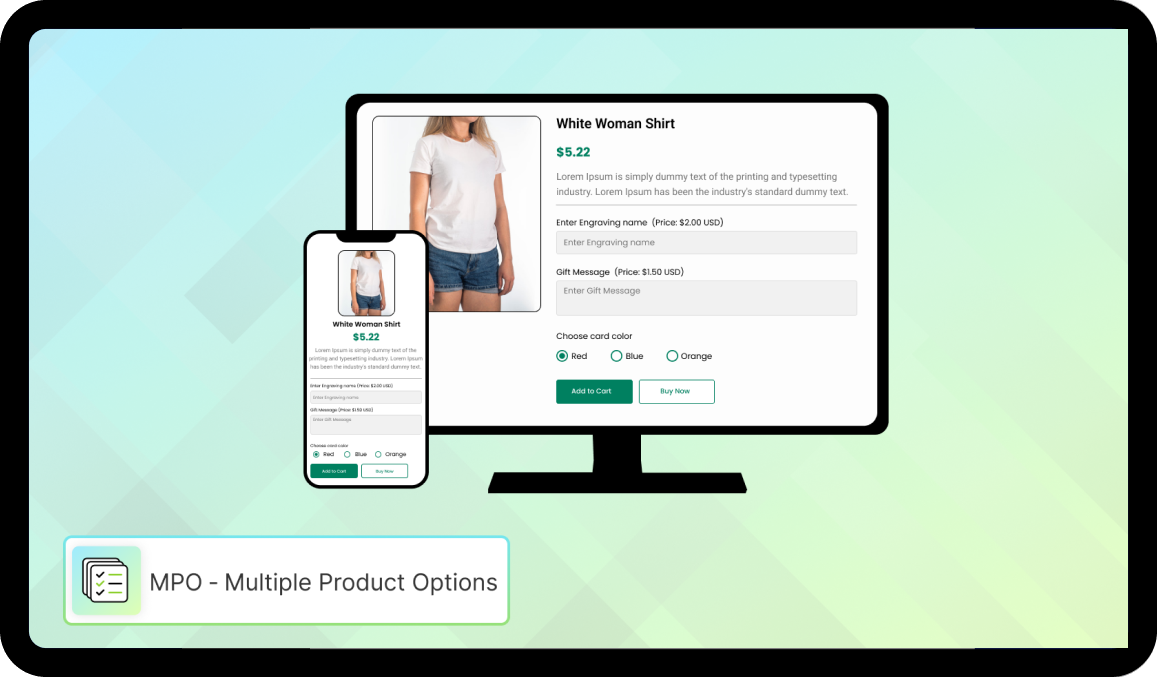
Many e-commerce products require customer input before purchase, such as shoe sizes or shirt colors. Customizable products might also need additional information like a name or logo for printing. This app lets you add unlimited options to your Shopify store, with no coding knowledge required. View the collected data in the order admin! Field types include short text box, long text box, radio buttons, dropdown, image upload, and datepicker.

Create fields based on tag, vendor, type, URL, and handle
Customize different fields for different products based on your preferences
Field types include: short text, long text, radio buttons, dropdown, image, and datepicker
Price add-ons are available for each field/option
Easily set the class name, placeholder, and default value








Choose the plan that best suits your needs and budget.
FREE PLAN
Free

Unlimited options on all products
10+ field types: text, number, more
Buttons, checkboxes & radio buttons
Required field labels, placeholders
Multiple select & spacing options
Heading, divider & paragraph fields
No price add-ons
No file upload & conditional logic
STANDARD PLAN
$12.99/month
All features in Free plan
Price add-ons per field or option
File upload (up to 10 files)
Date & time picker + email & phone field
Switch / toggle option
AND/OR conditional logic
Multi-language support
Hidden labels & default field values
ENTERPRISE PLAN
$25.99/month
All features in Standard plan
Color & image swatches
Color picker option
Pop-up modal option
Phone with country selector
Manual product control
Text transform & formatting
Custom swatch size & tooltips
Certainly! Crafting an effective Frequently Asked Questions (FAQ) section is crucial for providing clarity and addressing common concerns. Here's a template you can use as a starting point:
No. We did't cut any extra charges to create unlimited fields.
Yes. Using the status option you can easily active/deactive the app.
Yes. You can place the form within the product page at your preferable location.
You have to just assign the tag in specific product on which you want to show the form.
Yes, you can add infinite option at your end just follow below steps. Just go to the Settings > Notifications > Orders > Click on Order confirmation Now, you can see the Email Body (HTML) code. Just find "line.product.title" text and 3 - 4 line just paste below code. {% unless line.properties == empty %}
Yes, you can add infinite option at your end just follow below steps.
1. Navigate to the store's Shopify Settings and click on Shipping.
2. Locate the Packing Slip template and click on Edit.
3. Copy the following code:
{% if line_item.properties != blank %}
{% for p in line_item.properties %}
{% if p.first contains '_io_' %}
{% continue %}
{% endif %}
{% unless p.last == blank %}
{{ p.first }} : {{ p.last }}
{% endunless %}
{% endfor %}
{% endif %}
4. Paste the code that you just copied underneath the following code. These lines of code can be found on line 119 (if you are using the default template).
{% if line_item.sku != blank %}
{{ line_item.sku }}
{% endif %}
5. Save your changes!
Yes. We will give you the full support within 24 hours.


Insureful allows merchants to offer insurance protection on the products or services you sell. You can start covering stolen or broken items that have been insured by the consumer.

One click setup without any hassle! T&C checkbox will immediately appear above the checkout button. Purchasing at an online store is not without its risks, both for the buyer and the seller.

If you have a new or existing store and need to add or update product images, this app can be very helpful. With the product handle or SKU, you can easily import a CSV file.

Get to know the most liked products by increasing customer engagement with adding a like button on your product pages. Liked products make a social proof for your visitors.