
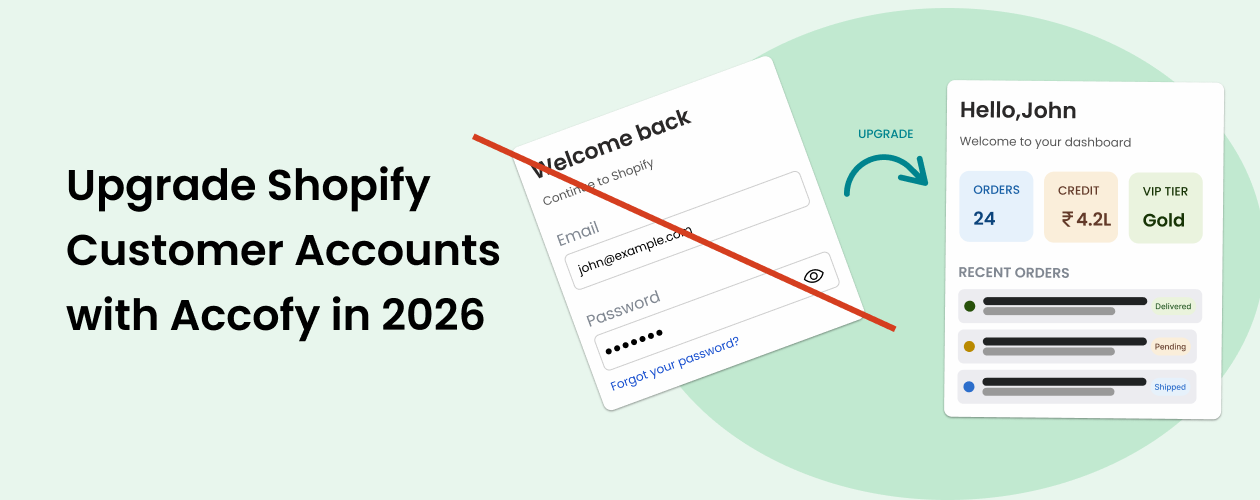
What Is Happening: Shopify Is Deprecating Classic Customer Accounts
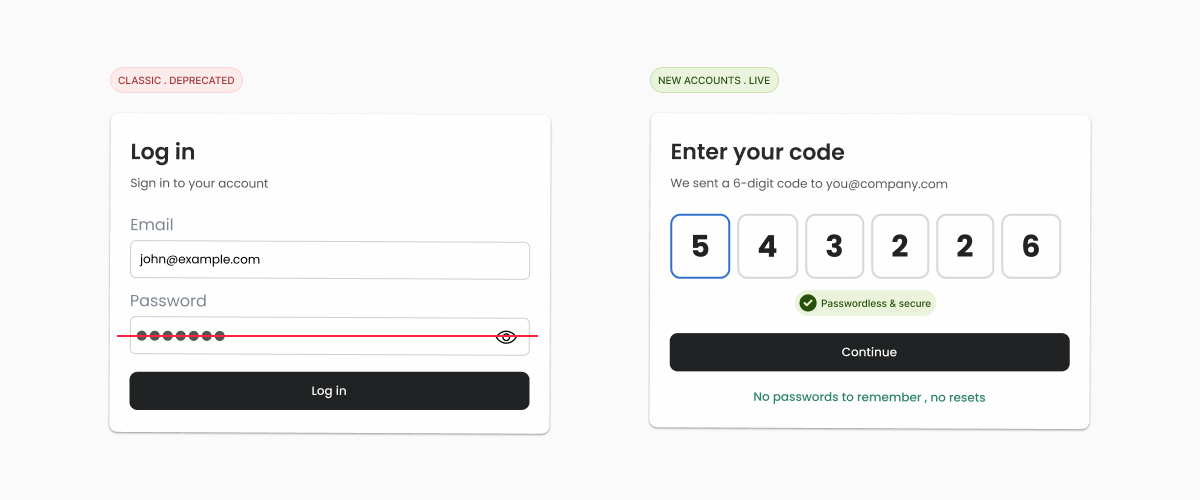
For years, Shopify offered two systems side by side. Classic customer accounts used the old email and password flow. New customer accounts use a one-time code sent to the shopper’s email, no password required.
Shopify is now winding down classic accounts. The platform is steering every merchant toward new customer accounts as the default, and is rolling out the Shopify Account Web Component and Customer Account Extensions as the only forward-looking way to customize what shoppers see after logging in.
What this means in practice:
- The old /account template you customized in Liquid is being replaced.
- Email and password login is being phased out in favor of one-time email codes.
- The new customer account page is hosted by Shopify, not your theme, and can only be extended through approved customer account extensions.
- Anything you built into the old account page, custom fields, rewards widgets, wishlist sections, recommended products, will not carry over automatically.
If you do nothing, your customers will eventually log in and see a stripped-down default page with almost zero personality and zero conversion levers. That is a real revenue risk.
For a deeper technical walkthrough of the new login system, see our earlier post: Shopify Account Web Component: The New Way to Build Customer Login and Account Pages.
What Are Shopify Customer Account Extensions?
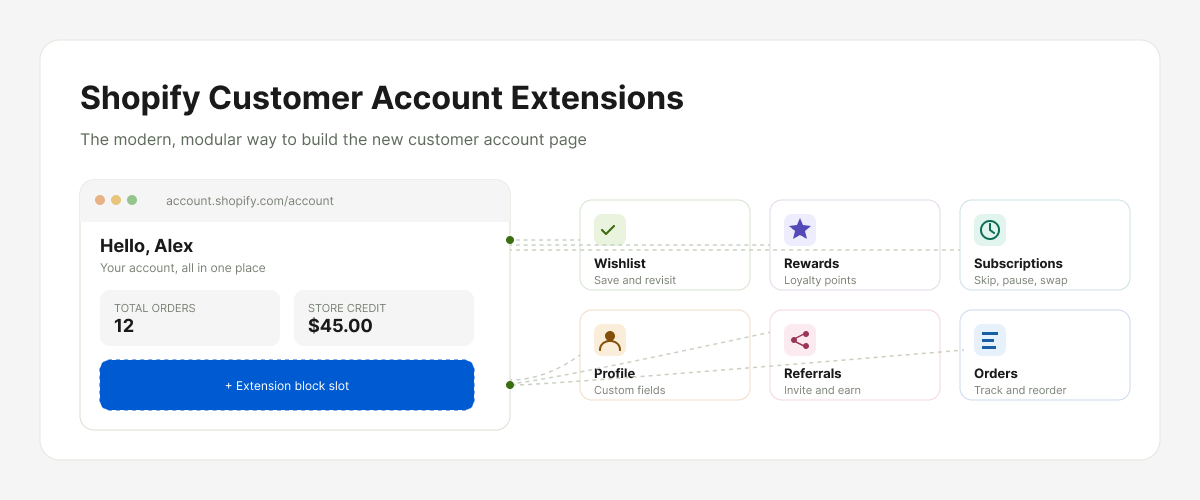
Shopify Customer Account Extensions are the official way to add custom blocks, sections, and pages inside the new customer account experience. Think of them as the modern, Shopify-approved replacement for everything you used to do by editing the customer account Liquid template.
With customer account extensions you can:
- Add new pages such as a wishlist, a rewards dashboard, a subscription manager, or a referral page.
- Add custom blocks to the order page, the profile page, or the home page of the account area.
- Pull in metafields, custom customer data, and storefront APIs.
- Match your brand with custom themes, colors, banners, and typography.
The catch is that these extensions are built and shipped as apps. You cannot just paste code into your theme anymore. That is why a purpose-built app like Accofy is the fastest way to get a fully branded, conversion-ready customer account without engaging a developer for weeks.
Why You Must Upgrade to Customer Account Extensions Now
Most merchants wait for deprecation deadlines and then scramble. With this change, scrambling will cost you sales. Here is why upgrading sooner is the smart call.
1. The Default New Account Page Is Bare
Once a store moves to new customer accounts without any extension, shoppers see a minimal page. No upsells, no buy again, no wishlist, no rewards. Just a list of orders. Every visit becomes a transactional dead end instead of a retention opportunity.
2. Passwordless Login Changes Customer Behavior
Without a password to remember, customers log in more often, sometimes multiple times a week. That means the account page is no longer a rarely visited corner of your store. It becomes a high-traffic surface, often second only to the product page. Treating it like a static profile screen is a missed conversion opportunity.
3. Compliance, Security, and Trust
The new system is more secure (one-time codes, fewer password leaks) and brings Shopify’s account experience in line with how modern consumer apps work. Staying on the deprecated flow signals that your store is behind, both to Shopify and to your customers.
4. You Lose Custom Fields if You Do Not Plan the Migration
If you collect GST numbers, VAT IDs, birthdays, company names, or B2B data through the old account page, those fields will not migrate on their own. You need a customer account extension that supports custom fields before you flip the switch. (See our guide: How to Add Custom Fields in Shopify Customer Accounts.)
5. Speed and Mobile Performance
Customer account extensions are rendered natively inside Shopify’s infrastructure, which means faster load times, better mobile performance, and a more app-like feel that today’s shoppers expect.
Introducing Accofy's New Dashboards: Classic, Standard, and Premium
To make the move painless, Accofy now ships three pre-built dashboard layouts that live inside Shopify Customer Account Extensions. Pick the one that matches your brand and your growth stage. Each dashboard is fully responsive, fully themable, and works on the new passwordless login out of the box.
Here is what each one looks like and who it is for.
Classic Dashboard (List Grid)
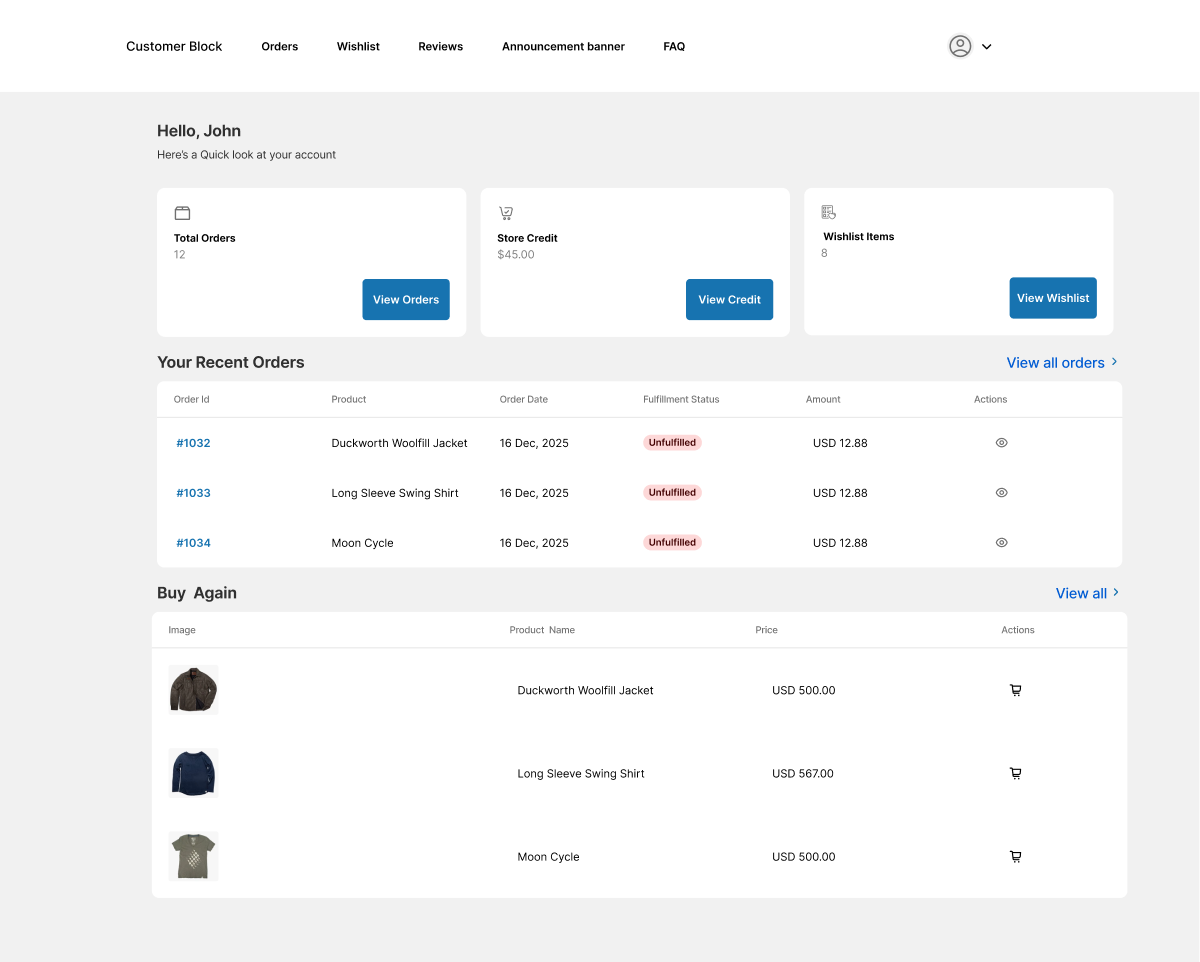
The Classic dashboard is the closest in feel to the old Shopify account page, but rebuilt for the new extensions framework. It is clean, table-driven, and information-dense.
What is inside:
- A welcome header with the customer’s name.
- A quick stats row showing Total Orders, Store Credit, and Wishlist Items with direct action buttons (View Orders, View Credit, View Wishlist).
- A Recent Orders table with order ID, product, date, fulfillment status, amount, and quick actions.
- A Buy Again section listing previously purchased products with one-click reorder.
- A Wishlist section with quick add-to-cart actions.
- A Profile block with a Manage Profile button.
Best for: merchants who want a familiar, business-like layout and prioritize quick scanning over visual flair. Strong fit for B2B stores, electronics, and high-SKU catalogs.
Standard Dashboard (Card Grid)
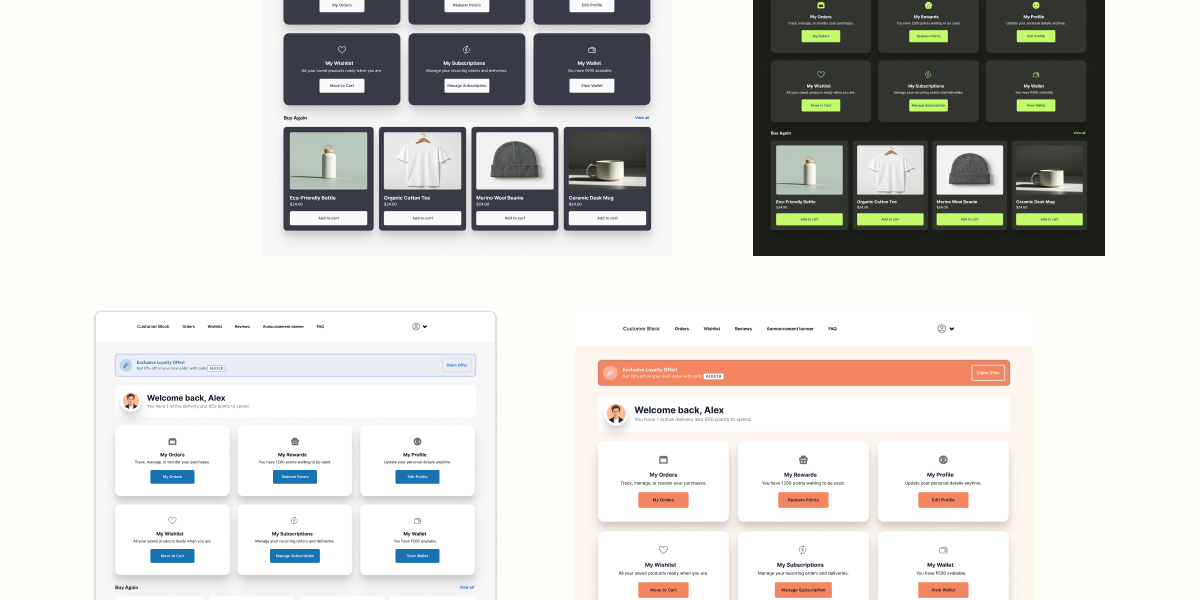
The Standard dashboard moves from tables to cards. It feels closer to a modern SaaS dashboard than a traditional Shopify account page.
What is inside:
- A welcome card with the customer’s avatar.
- A 6-tile card grid covering My Orders, My Rewards, My Profile, My Wishlist, My Subscriptions, and My Wallet. Each card has its own icon, short description, and call-to-action button.
- A Buy Again carousel with product images, prices, and add-to-cart buttons.
- Multiple color themes, including light blue, peach, dark navy, and dark green, so you can match your brand instantly.
Best for: DTC brands, lifestyle stores, and merchants with active loyalty, subscription, or rewards programs. The card grid puts every revenue lever one tap away.
Premium Dashboard (Conversion-Focused, Multi-Section)
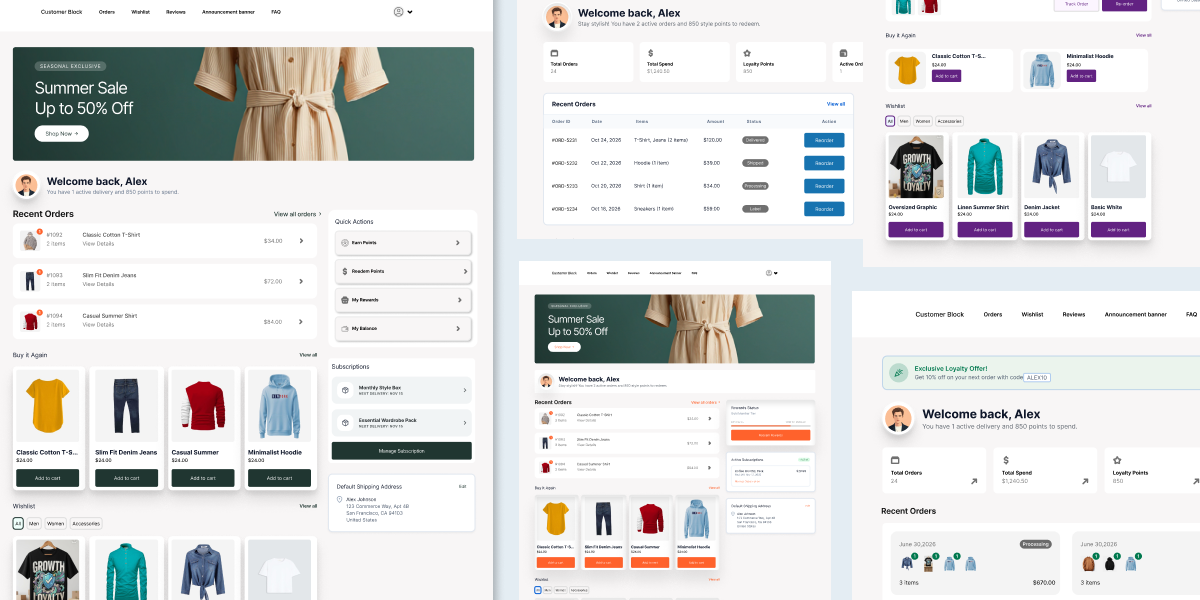
The Premium dashboard is the most feature-rich layout in Accofy. It is designed not just to show information, but to actively drive repeat purchases, loyalty engagement, and upsells from inside the account page.
What is inside (with the option to mix and match different sections):
- A promotional banner at the top, ideal for seasonal campaigns like Summer Sale, BFCM, or exclusive member offers.
- A welcome block with the shopper’s name and personalized message.
- A Rewards Status progress bar showing points earned and the next reward tier.
- A Recent Orders card with status badges and tracking.
- A Default Shipping Address block with edit-in-place.
- An Active Subscriptions block (perfect for subscription-first brands).
- A Wishlist gallery with filters by category (All, Electronics, Apparel, Home).
- A Buy Again carousel.
- Multiple visual themes including white, peach, mint, purple, and dark, so the dashboard always feels on-brand.
Best for: high-growth DTC brands, Shopify Plus stores, subscription businesses, and any merchant treating the customer account page as a true growth surface, not a utility screen.
Available Across Every Accofy Plan
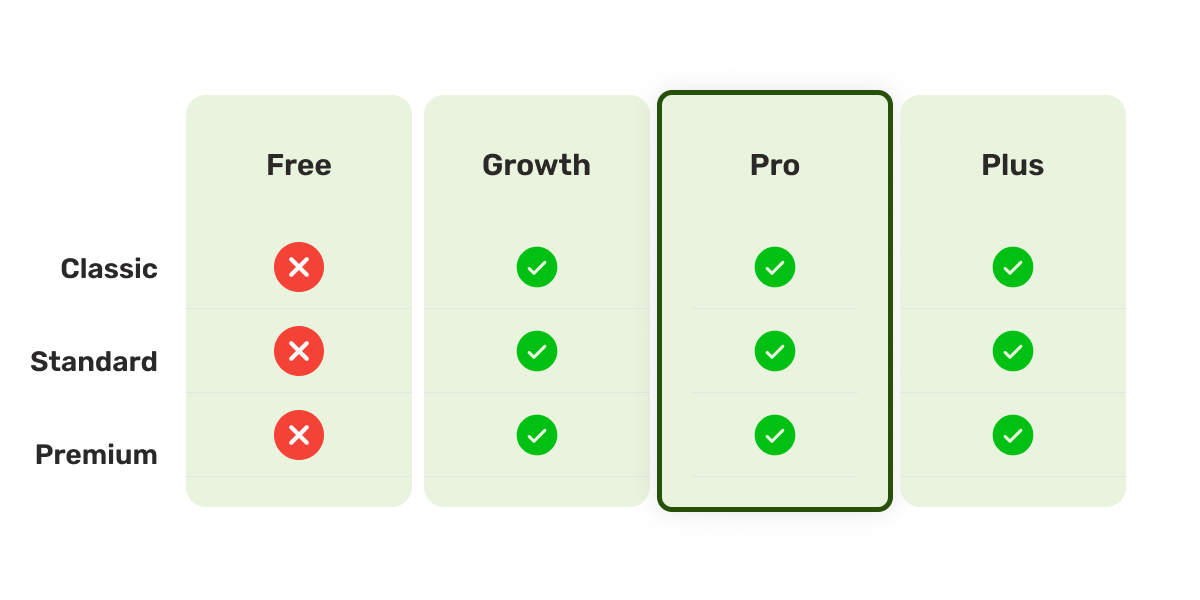
Here is the important part: all three dashboards – Classic, Standard, and Premium are available on every Accofy plan, including Growth, Pro, and Plus.
You do not have to upgrade to a higher tier just to access the dashboard layout you want. Whether you are on Growth, Pro, or Plus, you can pick the Classic list view, the Standard card grid, or the Premium conversion-focused layout, and switch between them whenever you like.
Every plan is built on top of Shopify Customer Account Extensions, which means every Accofy store is future-proof, compliant with Shopify’s new direction, and ready for the day classic accounts disappear for good.
What You Gain by Upgrading With Accofy
Switching to the new customer account experience with Accofy is not just about avoiding deprecation. It directly impacts revenue and retention.
- Higher repeat purchase rate, because Buy Again is one tap away on every visit.
- Better AOV, because the Premium dashboard surfaces recommendations and seasonal banners inside the account.
- More loyalty engagement, because rewards status is always visible.
- Lower support load, because customers can self-serve orders, addresses, subscriptions, and custom fields.
- Stronger brand, because every theme can match your storefront instead of using Shopify’s generic default.
- Future-proof setup, because everything is built on customer account extensions, the only path Shopify is investing in going forward.
How to Upgrade in Under 15 Minutes
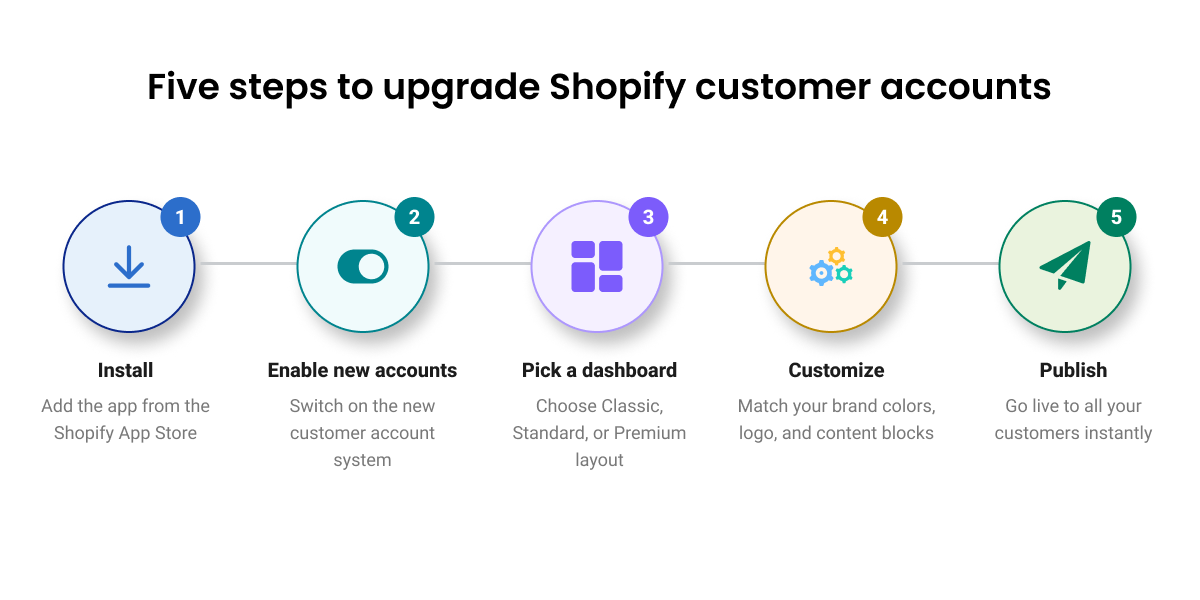
The migration is intentionally simple.
- Install Accofy from the Shopify App Store.
- Enable new customer accounts in your Shopify admin under Settings, Customer accounts.
- Open Accofy and pick a dashboard, Classic, Standard, or Premium, that matches your plan.
- Customize the theme, sections, and custom fields.
- Save and publish. Your new branded account page is live on the next customer login.
No code. No developer. No downtime.